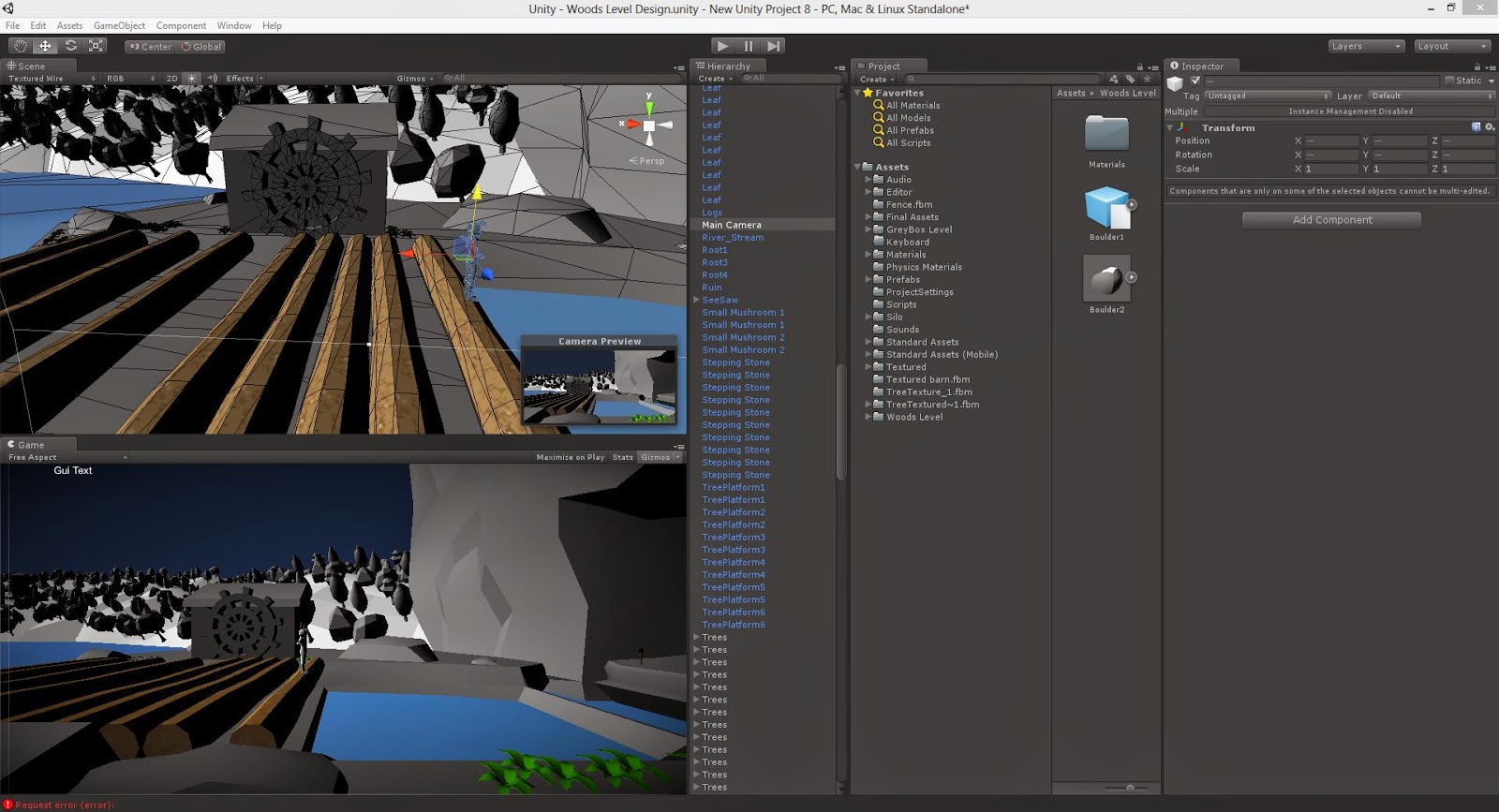
Creating the level did not prove to be difficult, there was a few scale issues which was fixed easily with another team member but overall placing and seeing how the level will look was not hard. I had to think about how the character would run through the level (re-levelling the base platforms) from start to finish.
Mike as also UV mapped additional asset with skipping stones and Leafs.
Taj and Mike:
My plan for the forest was to connect the cave and background lands to each other since I thought it will give a better depth of the level and may add some additional visuals to the level; however I encountered that the Caves were too boxy (as seen in the first screenshot) and I was worried that if the Player jumped to high they could see the top of the caves which would not be good for the show case.
I had to add on to the caves to fit the cave's environment. I decided to not extend them longways however expand them from the sides to give it more of a rocky effect. Now the caves look as if they are standing in the middle of the lake. Below are the changes of the caves and how they look in Unity.
First cave
Bird-size view of the level
Placing the Leaf platforms.
I asked mike to create leaf platform for the level so that Forest will look like the concept art that Adrian has done. the layout of these platforms are also the same as they are in the concept art.
Skipping Stones
I have asked Mike to create skipping stones since as a group we decided to remove rivers that did not correspond with other streams in the design. Since I created the river stream I had to change the over all level of the world so that it has a flow from start to finish, hence why the skipping stones are in a diagonal line.
Trees
I had to multiply the the tree to make it seem as if they are 'tall'.
Logs
I had to play around with the placement of the logs so that the character can pass through them easily.
The forest level gave us some issues on how the level will function in Unity. It had several waterfalls and river/streams which did not connect to each other naturally. As a group we decided to remover the last stream in the level and replace it with a platform. I suggested to give it some character since it is next to a river house and it was approved by the group. Below is my development procedure for the river stream.
Comparing the river stream model size to a previously made forest level model to get the right scale.
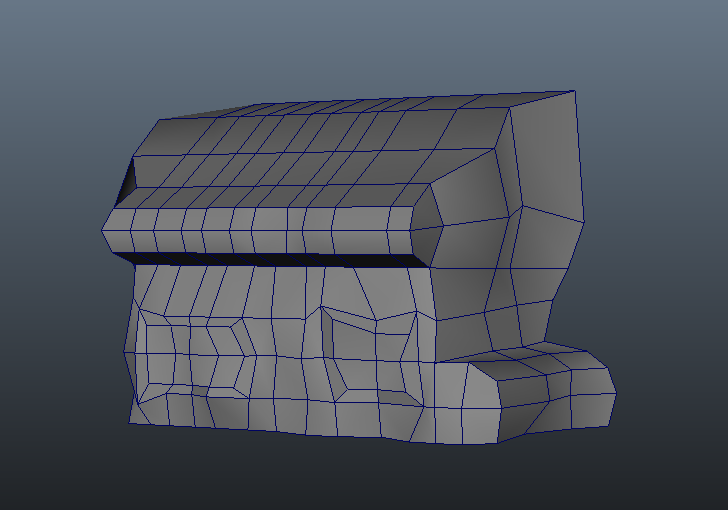
River stream model as it self.
River stream model in Unity to see how it looks amongst the other models in the scene. I am pleased with the look.
I decided to add more character to the platform by creating rocks on the river bed. so it looks like the platform is a 'liveable' place.
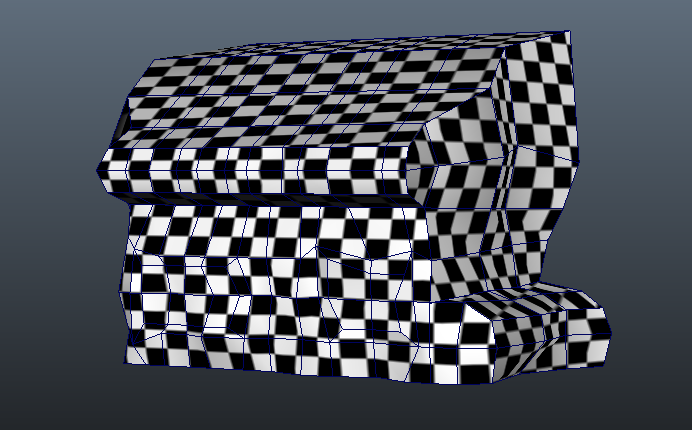
UV mapping the river stream. I did not have any particular problems whilst UV mapping but I am unsure about the UVs on the rock. the checkered texture is more compact thus indicating a much clearer texture however these will be covered up with the same texture as other rocks which should cause too much issues visually.
For the past couple of weeks, among making some textures and fixing up other coding for the unity packages, ready to be placed into the compact file, I have been fixing up the character file and I have finally managed to get it completed and working as well as it should be.
Some of the problems included him falling through platforms, being thrown off moving platforms, not jumping smoothly and not moving up ladders nor crawling, all of these essential to our game.
Address the first problem, which has been one of 2 problems before the character animations begun, the character was not reacting well to the moving platforms in place, the moving platforms were being moved with script, and the character fell through the collisions and eventually became stuck in the platform.
I fixed this problem, by making an animation within unity for the individual platforms that needed to be moved. the character then "Bounced on the platform, for which I resolved by adding a large trigger area upwards to the player had little to no choice but to remain parented to the platform as it moved up and down.
Other problem I had before I got into the Animation stage was the character unable to move up a ladder. The player would remain at the bottom of the collision. This was fixed with the help of Kevin, who added an extra piece of code : "&& onTheLadder" and adjusted the gravity on the project so the character was a bit more successful in getting up the ladder. This adjust needs to be made to the main unity file as well and has been noted.
The final problem I faced while finishing this character off is the jump animation, the character when and if he activated the jump animation, would stop in mid air, when the plan was, and needed to be, that he continued to move through the air so he is able to move from one platform to the next.
The problem was resolved with a lot of tweaks to the characters jump animation, a replacement has been made for a quick animation, and I then tweaked with his settings in the player2dcontroller script, as well as his settings. Which in the animator setting, the Root motion has been turned off so the character is able to move and jump more freely, without being restricted to the x,z and y position his animation uses. he now walks a bit more fluidly and jumps better as a result.
The final tweaks are just small adjustments to the Mecanim transitions, which make the character move a bit more fluidly, the final step with him is to make the scarf, which I will quickly build in Maya and attach to him, then add a cloth script to the scarf so it acts as it should.
The below videos shows where the character is now, and can now be classed as finished.
Character Crawling Animation and switching in Mecanim.
I have comprised a small basic time table for the easter holiday, as we won't be seeing each other as often during this time. The time table is basic, with a list of things to do over the two weeks. With an update needed at the end of the week for concerns to be brought up and to recieve suggestions.
If there is anything else you need done or wish to add, comment below on the post and whoever is able to do it will add it to their personal list.